Article
Oct 15, 2026
Your CAPI is on. Your signal probably isn’t
Most D2C brands see CAPI as connected in Events Manager. Far fewer have server-side tracking that works when the browser doesn’t. Here’s how to tell which one you have.
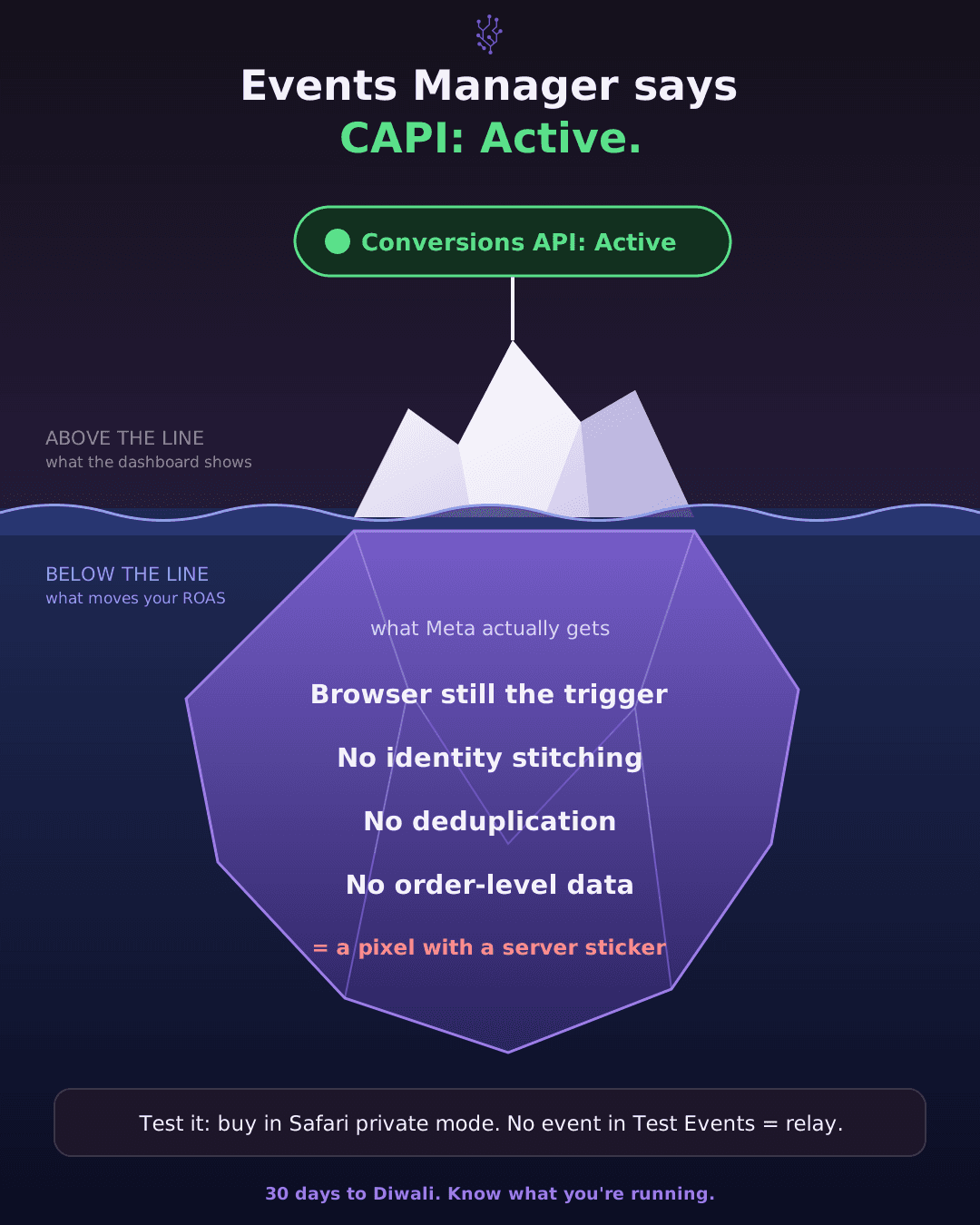
Ask a D2C founder whether they’ve set up Meta’s Conversions API and most will say yes. Someone did it last year. Events Manager shows it as connected. Done.
Ask what changed after they turned it on, and the answer is usually some version of “not much.”
I don’t think that’s because CAPI doesn’t work. I think a lot of what got installed as CAPI is a copy of the browser pixel sent through a server. The status light is green, but the signal Meta receives is roughly the same signal it had before.
What CAPI is meant to fix
The Meta pixel is a script that runs in your customer’s browser. When someone buys, the pixel tells Meta. That works until the browser gets in the way. Ad blockers stop the script from loading. Safari limits how long cookies last. And after Apple’s App Tracking Transparency prompt in 2021, a large share of iPhone users opted out of being tracked across apps, Facebook and Instagram included.
Each of these means some purchases happen that Meta never hears about, or hears about without enough detail to connect them to an ad.
The Conversions API was Meta’s answer. Your server sends purchase data straight to Meta. The customer’s browser isn’t involved, so a blocked script or a cleared cookie doesn’t stop the event from arriving.
For that to work, the trigger has to be your server and the data has to come from your order. Most of the problems below come from getting one of those wrong.
The one-click setup
Events Manager has setup options that get you to “Conversions API connected” in a few minutes. A lot of brands stopped there.
Depending on the route, what you often end up with is a server copy of events the pixel already caught. The pixel fires in the browser, and the same event gets forwarded to Meta through a server connection. If the pixel never fired because an ad blocker stopped it, there’s nothing to forward.
This isn’t useless. Server copies can carry extra matching data and are less likely to get lost on the way. But they don’t recover purchases the browser missed, which is the main reason most brands wanted CAPI in the first place.
The custom build
Some brands went further and had a developer build it, sometimes from a GitHub library, sometimes with code an AI tool wrote. These integrations do send events from a server. That part works.
Where they fall short is what’s inside the event. A good implementation gets three things right.
Matching data. Meta needs hashed customer details like email and phone number to work out who bought and which ad they saw. An event without them still shows up in Events Manager, but Meta can’t do much with it. You’ll see this as a low Event Match Quality score.
Deduplication. If the pixel and the server both report the same purchase, Meta needs a shared event ID on both to know it’s one sale. Without it, Meta counts two. Your reported ROAS goes up, and Meta optimises toward a number that isn’t real.
Order data. The value Meta receives should be the actual order value after discounts, tied to the actual order ID. Plenty of builds send a rough figure taken from the browser session instead.
A build can connect perfectly to Meta’s API and still miss all three. The dashboard won’t show you that.
The cheap app
The Shopify App Store has a long list of apps offering “server-side tracking.” Some are well built. Many work by listening for the pixel’s events in the browser and passing them to Meta from their own servers. The delivery is server-side but the trigger is still the browser, so you get the same limitation as the one-click setup.
To be fair to Shopify, its own Facebook and Instagram app, with data sharing set to Maximum, sends purchase events from Shopify’s servers based on the order. If you’re on that setting, you’re in better shape than a lot of brands paying for a third-party app.
What a working setup looks like
The purchase event starts from the order, not the browser. When an order is created in Shopify, your backend sends it to Meta with the order ID, the real value, hashed email and phone, and the same event ID the pixel used so Meta can merge the two.
If the customer had an ad blocker running, the server event still goes through. If they paid COD on a phone with every privacy setting turned on, it still goes through. The pixel stops being something you depend on.
Building this takes real engineering time. You need a reliable trigger from your order system, correct hashing, and an event ID that the pixel and the server agree on. There isn’t a toggle for it.
How to check yours
You don’t need a developer for a first look.
In Events Manager, open your pixel and click the Purchase event. You’ll usually see a split between events received from the browser and from the server. If there are no server events at all, CAPI isn’t running.
Take the server Purchase count for the last 7 days and compare it to your Shopify order count for the same 7 days. Use the same dates and the same timezone, because your ad account may not be set to IST. Expect small gaps from cancellations and test orders. If the server count is 20% or more below your Shopify orders, and it roughly matches your browser count, you’re most likely forwarding pixel events.
Check the Event Match Quality score for Purchase. Meta rates it out of 10. A low score means events are arriving without enough customer data to be matched.
Look for a deduplication warning on the event. If Meta says browser and server events aren’t being deduplicated, your purchase numbers in Ads Manager are probably inflated.
None of these is a full audit, but together they’ll tell you which situation you’re in.
Why now
Diwali is about three weeks away. For most D2C categories this is the most expensive stretch of the year to buy attention, and Meta’s delivery system relies on purchase signals to decide who sees your ads. Weak signals mean it learns slower and spends more to find buyers.
This year there’s an extra complication. In March, Meta changed how it attributes conversions. Click-through credit now needs an actual link click, likes and shares moved to a separate one-day engage-through window, and video counts as engaged at 5 seconds instead of 10. Comparing this festive season to last year’s numbers already means comparing two different counting systems. Doing that on top of a weak signal makes it very hard to know what’s working.
If you run a lot of COD, remember that Meta sees a purchase when the order is placed. It doesn’t see the parcel that comes back. Your Meta ROAS is a gross number, so the cleaner the order data going in, the easier it is to reconcile against what you actually kept.
Nobody did anything wrong
Most of the setups above were done in good faith. The one-click options are Meta’s own. Developers often follow Meta’s sample code. The apps are approved and popular.
The trouble is that “connected” and “working” look the same in Events Manager. A green status tells you a server is talking to Meta. It doesn’t tell you whether that server knows about orders the browser missed.
If your CAPI has been on for months and your numbers didn’t move, spend ten minutes on the checks above. That’s usually where you’ll find the answer.